Introduction
Migration files are used to track database schema changes over time. Regardless of how the database schema is defined, Supabase always deploys changes through migration files.
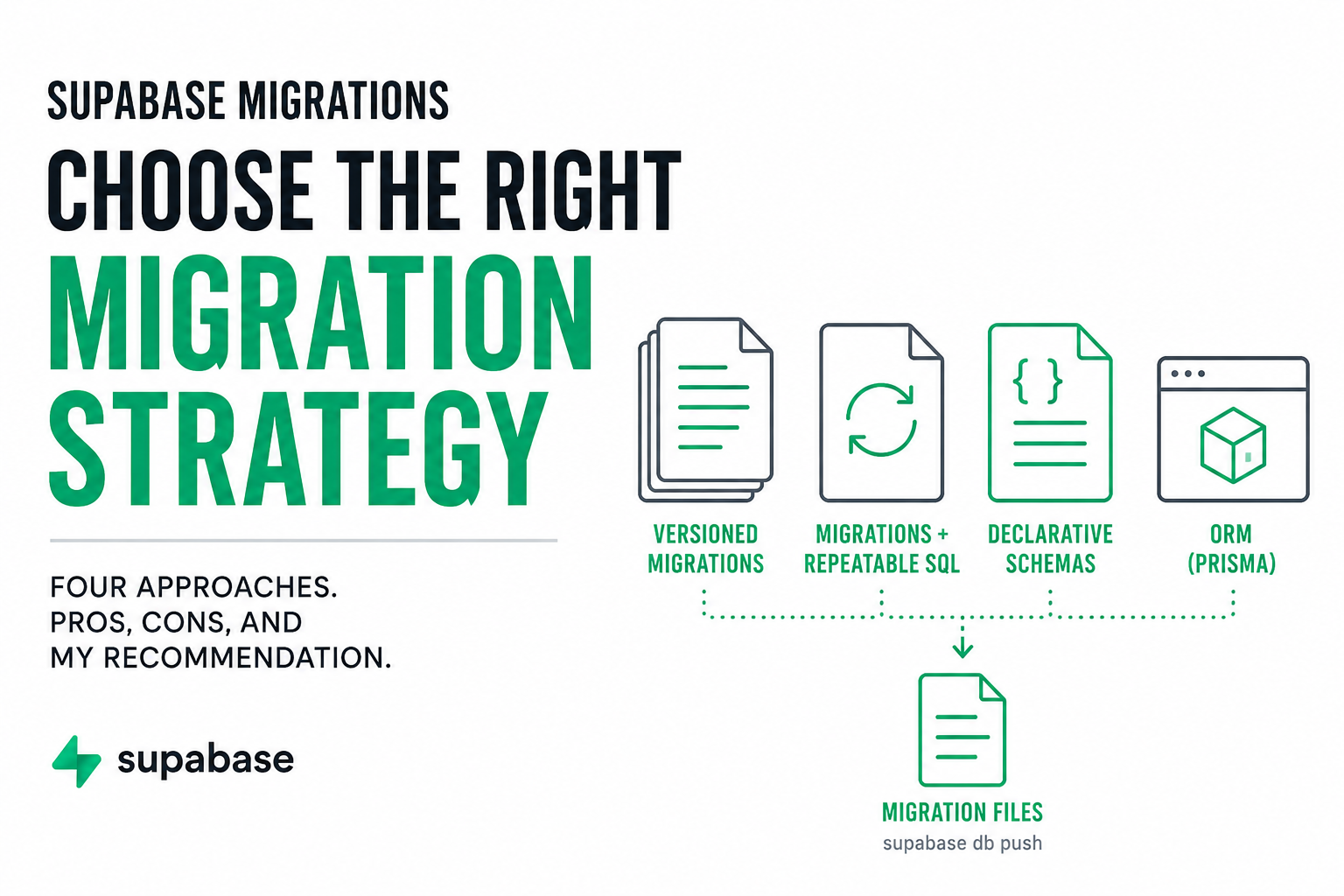
There are several ways to create the migration files:
- Versioned Migrations: Write migration files directly or modify the database in Supabase Studio and run
supabase db diff - Migrations + Repeatable SQL: Stable structural changes (tables, columns, constraints, indexes, enums, extensions) stay in migration files, while objects that are often replaced wholesale (views, functions, triggers, RLS policies, grants, storage policies) are defined separate SQL files.
- Declarative Schemas: Define the schema in SQL files and generate migration files automatically with
supabase db diff - ORM such as Prisma: Define the schema using the ORM and allow it to generate migrations.
As you can see, all four methods ultimately produce migration files. The difference is in how the schema is authored. Declarative schemas and ORMs reduce the amount hand-written SQL but often you will still have to write some migrations manually for things such as data migrations or unsupported PostgreSQL features. In practice, most production projects used a hybrid approach to managing migrations because certain PostgreSQL features still require manual migration files.
Declarative schemas and ORMs don’t replace migrations, they simply change how the migrations are created.
Authoring: Where the database schema is defined. This could be in migration files, declarative SQL files or an ORM
Deployment: How the changes reach your database. In Supabase, this is always done through versioned migration files.
Migration files ─────┐
Declarative schemas ─┼─► Generate migration files ─► supabase db push
Prisma ORM ──────────┘
In the next few sections, we’ll discuss each authoring strategy in more detail.
Versioned Migrations
This is the standard approach and how most Supabase projects start.
A new migration file is created for every schema change. You can either write the SQL yourself or make changes in Supabase Studio and generate a migration with supabase db diff. You end up with a migrations folder that looks something like this. The number of migration files can quickly skyrocket on a complex, fast-changing project.
supabase/
  migrations/
    20250720120000_create_users.sql
    20250721143000_add_projects.sql
    20250723100000_update_projects.sql
    ...
Pros
- Simple workflow and standard Supabase approach
- One deployment mechanism (
supabase db push).
Cons
The main drawback is that it’s not immediately clear what the curent state of the database looks like.
As a project grows, the current definitions of tables, views, functions, and policies become spread across many migration files. Even a small change requires creating another migration. You end up with something like this and it can be difficult to find the current state without digging through a bunch of migration files.
fix_view_name.sql
fix_view_again.sql
fix_rls.sql
fix_rls_again.sql
fix_rpc_name.sql
...
One way to reduce some of the complexity is by squashing migrations which removes repeated operations like:
create view ...
drop view ...
create view ...
drop view ...
create view ...
It keeps only the final create statement rather than all of the historical changes. However, the resulting file from squashing can be a very large file containing all of the changes. There is no human-readable source of truth.
This approach is fine for smaller projects, but can become unmanageable as the project grows.
Migrations + Repeatable SQL
This approach keeps stable structural changes in migration files while moving objects that are frequently replaced wholesale into separate SQL files that are reapplied during deployment. This is an organization pattern, not a built-in Supabase workflow.
A project might be organized like this:
supabase/
  migrations/
  repeatable/
    views/
    functions/
    triggers/
    policies/
    grants/
Then deployment would become a two-step process.
supabase db push
./apply_repeatable.sh
Not too big of a deal, but still a bit of extra complexity because it’s outside of the standard Supabase workflow.
Pros
- Easy to inspect the current definition of views, functions, triggers, and policies.
- Reduces noise in migration files from frequently changing objects.
Cons
- Introduces a second deployment step to apply the repeatable SQL.
- You now have two places that define the database, so it’s important to keep them synchronized.
I think this approach can work well for larger projects with complex SQL, but it also adds operational complexity. Personally, I’d first look at declarative schemas before introducing a separate repeatable SQL workflow.
Declarative Schemas
The biggest problem with raw migration files is there is no human-readable source of truth for the current database structure. With Declarative Schemas, rather than creating a new migration file for each change, you define the structure and then generate the new migration file with supabase db diff.
It looks something like:
supabase/
  schemas/
    00_extensions.sql
    01_types.sql
    02_policy_helpers.sql
    tables/
      001_projects.sql
      002_users.sql
      ...
    functions.sql
    grants.sql
    views.sql
I like to organize the schema around tables, each file contains all elements that are directly related to the table.
create table public.projects (...);

alter table public.projects
  add constraint ...;

create index ...;

create trigger ...;

alter table public.projects
  enable row level security;

create policy ...;

grant ...;
Objects that are used across multiple tables, such as functions or enums, live in separate scripts.
Pros
- Human-readable source of truth for the current schema.
- Related objects stay together instead of being scattered across migration history.
- Still uses standard Supabase migrations for deployment.
- One
supabase db diffcan generate migrations for multiple schema changes.
Cons
Declarative schemas don’t eliminate migrations entirely.
One-time data migrations (INSERT, UPDATE, DELETE) and some PostgreSQL features, such as security_invoker and materialized views, still need to be handled with manual migrations.
This is my favorite method because it gives an organized view of the current state while still generating migrations to validate that the schema changes were captured correctly.
ORM like Prisma
An ORM such as Prisma lets you define the database schema in its own schema language and generate migrations from that definition.
prisma/
  schema.prisma
  migrations/
This can work well if the application already uses Prisma for database access. The schema, generated client, and migrations all stay within the same workflow.
Pros
- Strongly typed database client.
- Schema changes and application models stay closely connected.
- Familiar workflow for teams already using Prisma.
Cons
- Adds another abstraction between the application and PostgreSQL.
- Supabase-specific features such as RLS policies, grants, triggers, storage policies, and some functions still require SQL.
- Can create confusion if both Prisma and Supabase migrations are treated as the source of truth.
Supabase already provides a database client and generated TypeScript types, so I would not introduce an ORM only for schema management. I would use Prisma when the application benefits from Prisma itself, not simply as an alternative way to generate migrations.
Conclusion
I generally recommend going with Declarative Schemas unless you have a good reason not to. It makes managing the database schema much simpler. It also makes it easier for new team members to understand what’s going on when they hop on your project.
If you want to migrate an existing project, here’s a step by step guide I created to help you with that.